Event dates, passes and sessions checked September 27, 2026. Microsoft Ignite runs November 17–20, 2026 at Moscone Center in San Francisco. Microsoft now lists a $2,325 Conference pass, a $1,625 Hub-only pass and a free Digital pass. Check the official event site for live prices and schedule changes.
What Is Microsoft Ignite?
Microsoft Ignite 2026 is Microsoft's premier annual conference for IT professionals, developers, cloud architects, and enterprise technology decision-makers. It takes place November 17–20, 2026 at the Moscone Center in San Francisco, CA. As the company's largest technical event, it is where Microsoft makes its most significant product and platform announcements across Azure cloud services, Microsoft 365 productivity and collaboration tools, the Copilot AI platform, Windows, security, and developer tooling.
For 2026, Microsoft offers both in-person participation at Moscone Center and a free digital pass. Choose the format that fits your learning and meeting goals.
The published session catalog spans foundational through expert levels and covers cloud, AI, security, Copilot and other Microsoft topics. Use the official catalog to check the current session list. Microsoft’s “Book of News” collects announcements from the event when they are released.
For organizations that have standardized on Microsoft's cloud and productivity ecosystem, Ignite is the single most efficient way to understand where the platform is heading and how to prepare internal teams and infrastructure accordingly.
Why You Should Attend?
First access to the Microsoft roadmap. Microsoft's product announcements at Ignite drive IT planning cycles for thousands of organizations worldwide. Attending puts your team in a position to understand new capabilities, deprecations, and pricing changes before they are broadly publicized.
Technical depth unavailable elsewhere. Ignite's content ranges from strategic overviews to 400-level engineering sessions. The L300–L400 technical sessions on Azure architecture, Copilot customization, and security configuration represent knowledge transfer that would otherwise require weeks of self-directed study.
Certification and skills development. Microsoft lists onsite certification opportunities and hands-on labs for 2026. Check the official registration flow for eligibility, reservations and availability before planning your schedule around an exam.
Networking within the Microsoft ecosystem. Partner relationship management, customer introductions facilitated by Microsoft account teams, and peer networking among IT professionals with complementary skills all benefit from the concentrated environment of Ignite.
AI strategy for the Microsoft shop. For IT leaders at organizations standardizing on Microsoft, Ignite 2026 will be particularly valuable for understanding the trajectory of AI capabilities across the Microsoft stack — a trajectory that will affect every major Microsoft product within a 12–24 month window.
Who Should Attend?
Microsoft Ignite is built for professionals with deep engagement in the Microsoft technology stack:
- IT professionals managing Microsoft 365 environments — Exchange, Teams, SharePoint, and supporting infrastructure
- Cloud architects and engineers building on Azure (compute, networking, databases, Kubernetes, serverless, AI services)
- Security professionals managing Entra ID, Defender for Endpoint, Microsoft Sentinel, and the broader Microsoft security portfolio
- Developers working with Visual Studio, .NET, GitHub Copilot, Azure DevOps, and Power Platform
- Business decision-makers and enterprise architects evaluating technology roadmaps and licensing positions
- Microsoft partners — MSPs, ISVs, and system integrators — combining customer relationship activities with technical certification and enablement

Who Is Attending
The audience is global but skews North American and European, reflecting Microsoft's enterprise customer concentration. Company sizes range from mid-market organizations with a few hundred employees to the largest global enterprises.
Microsoft partner organizations send large delegations that combine customer relationship activities with technical enablement objectives. Expect to find peers across cloud operations, security, development, and IT leadership — all with hands-on Microsoft stack experience.
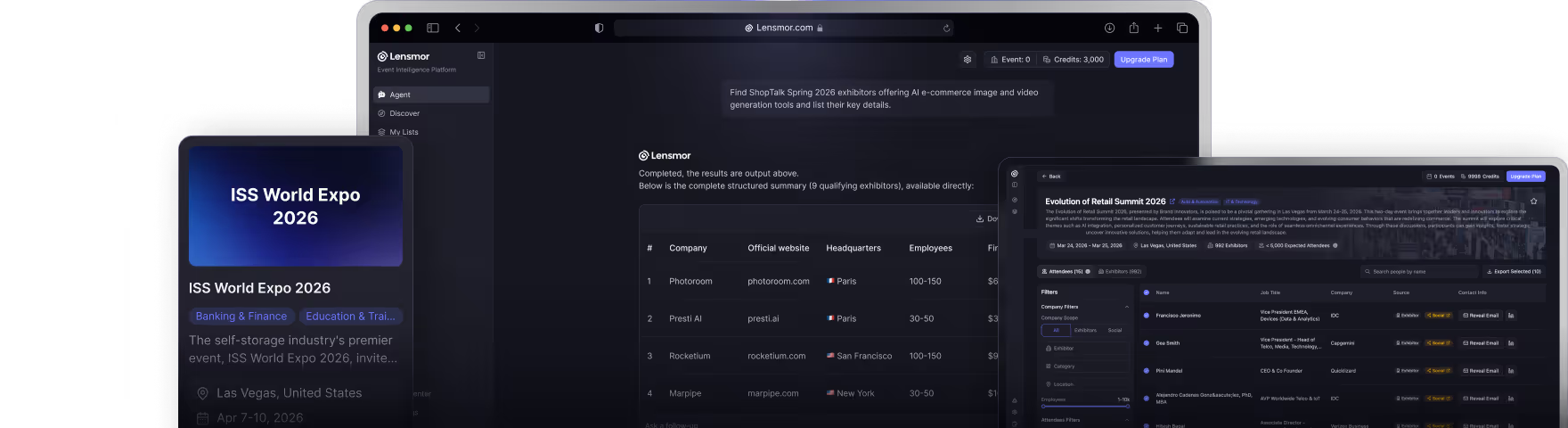
Want to know which companies are exhibiting or attending? Lensmor tracks exhibitor profiles, booth data, and product categories for Microsoft Ignite and 1,000+ other trade shows. Explore Microsoft Ignite exhibitors on Lensmor.
Sponsors & Exhibitors
Explore the Microsoft Ignite 2026 exhibitor and attendee overview to review available event data as you build your account shortlist.
The Microsoft Ignite expo floor — branded as the "Hub" — features Microsoft product teams alongside a large ecosystem of partner organizations.
Microsoft's own booths showcase products across Azure, Microsoft 365, and security, staffed by engineers who can answer technical questions beyond typical sales interactions.
Partner exhibitors span the ecosystem comprehensively:
- Managed service providers (MSPs)
- Azure-specialized migration and modernization consultancies
- ISVs with certified Azure or Microsoft 365 integrations
- Security service providers
- Industry-specific solution providers building on the Microsoft Cloud
- Hardware partners — including Dell, HP, and Lenovo — selling Azure-certified infrastructure
The Microsoft Technology Adoption Program (TAP) and ISV Success partners are often prominently featured.
Lensmor provides real-time exhibitor intelligence for Microsoft Ignite, including company profiles, product categories, and booth locations. Access the full exhibitor list before the event to build your target list.
Microsoft Ignite 2026 Sessions & Agenda
Microsoft has published a searchable 2026 session catalog. Filter by topic, session type, audience and technical level to build a practical schedule. Published categories include keynotes, breakouts, labs, theater sessions, lightning talks and table talks; availability and times can change.
The official agenda shows badge pickup and pre-day learning on November 16, followed by conference programming November 17–20. The Hub is open November 17–19. Review the current catalog before travel and follow Microsoft’s registration instructions for any lab or session requiring a reservation.
For an exhibitor or partner research plan, shortlist relevant companies and sessions by Microsoft product area, then leave time for conversations in the Hub. A session listing or sponsor listing does not confirm a meeting.
Microsoft Ignite 2026 Pass Prices & Registration
As listed on Microsoft’s official event site on September 27, 2026, the Conference pass costs $2,325 and covers in-person conference experiences at Moscone Center plus the digital venue. The Hub-only pass costs $1,625 and covers Hub experiences, including booths and theater sessions, November 17–19. The Digital pass is free for online access to keynotes, sessions and technical content. Confirm the current price, taxes and pass terms with Microsoft before purchasing.
Dates and venue: November 17–20, 2026, at Moscone Center, San Francisco. For hotel planning, check travel or housing instructions in your official registration flow, compare distance to Moscone Center, and review cancellation terms before booking. Avoid treating an unofficial hotel offer as part of your conference pass.
Certification and labs: Microsoft’s agenda lists onsite certifications and hands-on labs. Check the current registration flow and session catalog for reservation requirements and availability.
Build a Decision-Ready Event Plan
Start with a specific learning, buying, partnership or pipeline outcome. Then use the official agenda and exhibitor information to choose a manageable set of sessions and companies.
Priority areas
- Azure and cloud infrastructure
- Microsoft 365 and Copilot
- security, identity and governance
- data, development and partner solutions
Questions that improve vendor and partner conversations
- Which Microsoft product, tenant model and license assumptions apply?
- What security, governance and data boundaries are required?
- How does the solution integrate with the current environment?
- Which lab, architecture review or proof of concept should follow?
Relevant stakeholders
- IT leaders and architects
- cloud and security teams
- Microsoft administrators and developers
- partners and enterprise buyers
Record the reason each company fits, the evidence still needed and one owned next step. Lensmor can help organize public exhibitor and company information into a reviewable account list with verified decision-maker contacts. Event participation is context, not proof of purchase intent, so keep human review before outreach.
Frequently Asked Questions
What is the "Book of News" and where do I find it?
The Book of News is Microsoft's official compilation of all product announcements made during Ignite, published on the opening day. It is available on the Microsoft Ignite website and the Microsoft Tech Community blog. It is the fastest way to survey the full scope of announcements if you cannot attend every keynote session.
Is Microsoft Ignite the same as Microsoft Build?
No. Microsoft Build (typically held in May) focuses specifically on developers — application development, Azure platform services, and developer tooling. Microsoft Ignite (November) targets IT professionals and enterprise administrators with a broader platform scope including Microsoft 365, security, and infrastructure. There is audience overlap, but the content focus differs substantially.
Can I attend virtually if I cannot make the in-person event?
Yes. Microsoft consistently provides a robust digital attendance experience, including livestreamed keynotes, on-demand session recordings, and virtual access to select interactive experiences. The Book of News is also accessible online regardless of attendance format.
How do I prepare for learning sessions at Ignite?
- Use the live session catalog to filter by topic, audience and technical level
- Pre-register for sessions you want to attend in person — high-interest technical sessions fill up fast
- Identify your learning objectives by product area and depth level before the conference
- Arrive early to popular sessions, as capacity is limited
Does Microsoft offer certification exams at Ignite?
Microsoft lists onsite certification opportunities in its current agenda. Check the official agenda and registration instructions for eligible exams, reservation rules and availability.
How do I identify the right Microsoft partners on the expo floor?
Start with the official event site for current sponsor and Hub information. Define your technical requirements and geographic needs before shortlisting partners. Lensmor can help organize available company and exhibitor context, but confirm participation and meeting availability directly.

Shirley An
Shirley An is a Growth Marketing specialist at Lensmor, writing about trade shows, event prospecting, and B2B growth. Lensmor helps teams identify ICP-matched exhibitors and likely attendees, and find verified decision-maker contacts for outreach before the event.