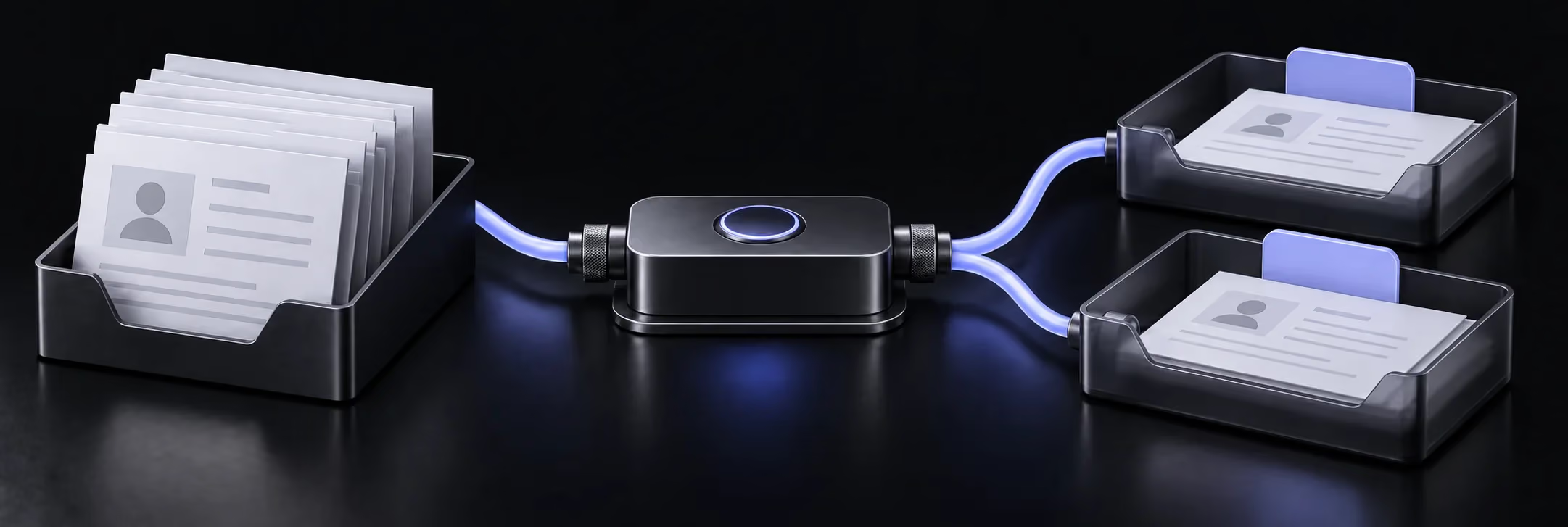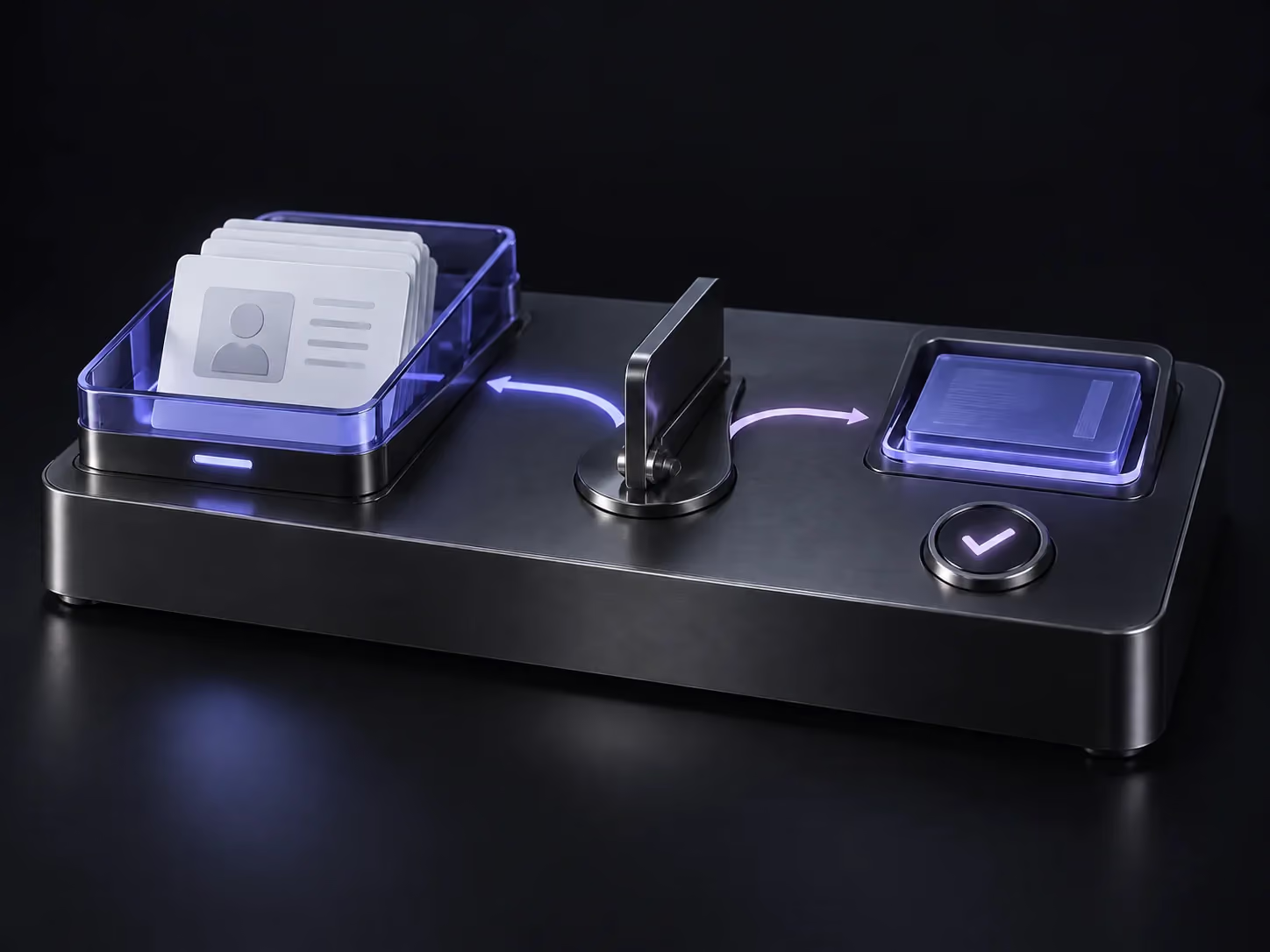
One saved set of industry, headquarters and employee-size filters applied to two different events.
Conceptual event discovery with event, exhibitor and attendee search modes and two example event cards.
Illustrative company lookup with three linked events and their monthly distribution.
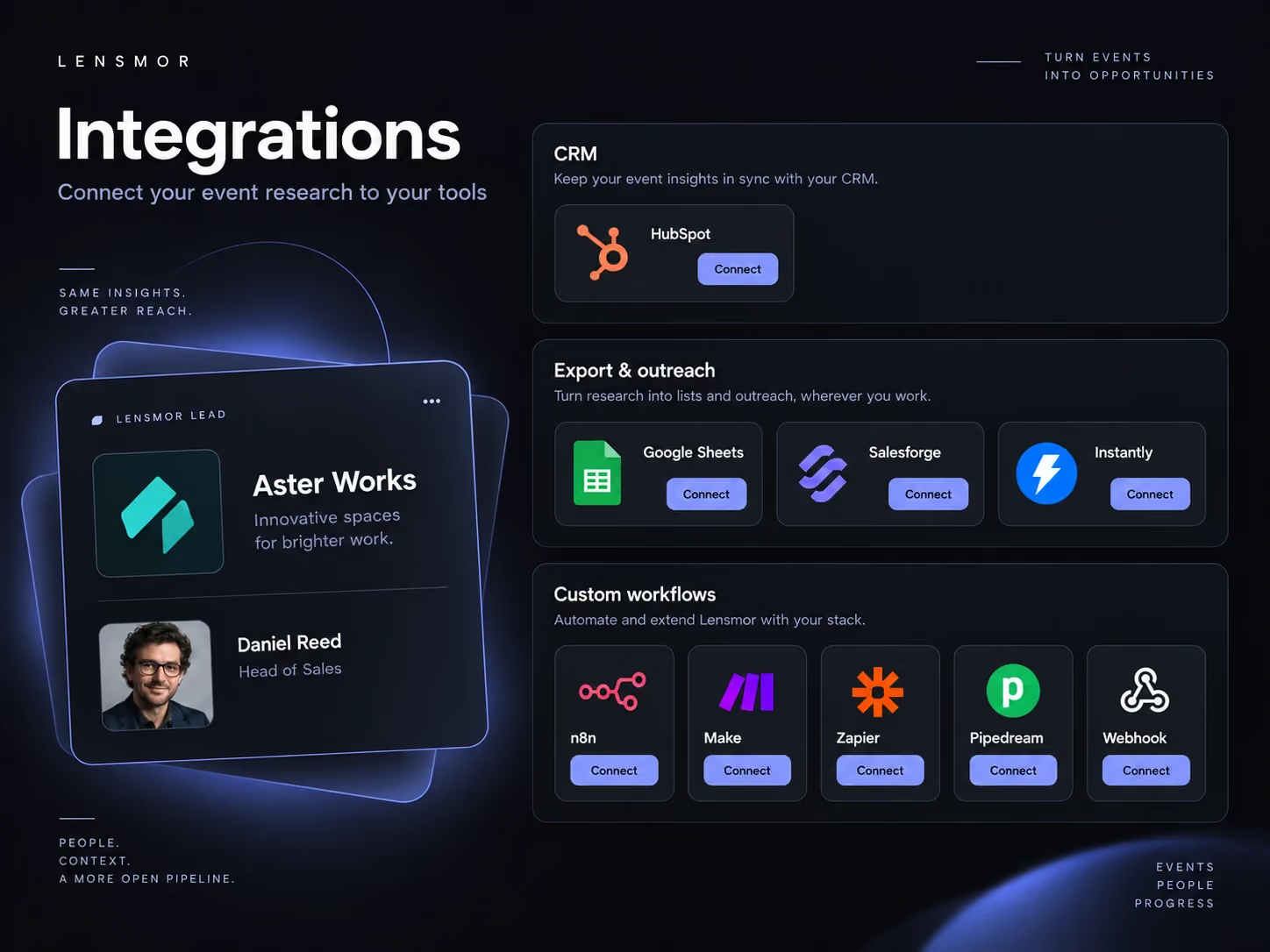
Available integrations: HubSpot CRM, Google Sheets, Salesforge, Instantly, Pipedream, n8n, Make, Zapier and Webhook.
CRM Integration

Connect Event Intelligence to Your CRM and Workflows

Bring your event research into the tools your team uses. Connect Lensmor with HubSpot, or build workflows with webhooks and tools like n8n.

16k+GLOBAL EVENTS.
ONE PLACE TO START.
01 → ∞ONE AUDIENCE.
EVERY EVENT.
1 → 3YOUR ICP.
THREE RESEARCH PATHS.
Who → WhereFOLLOW THE CONNECTIONS.
20+CONTACT DATA PROVIDERS.
ONE WORKFLOW.
ConnectRESEARCH TO ACTION.
A CLOSER LOOK

Two ways to connect your event research.

Discover the show. Understand the companies. Find the people who make it relevant.

Your best research starts with a clear definition. Take it with you to the next event.

Connect the events you explore to the companies and people you want to reach.

A company or person can be the starting point for your next event discovery.

Bring contact research into the same place you discovered the opportunity.

Connect the context you discover to the tools where your team takes action.

01 / DISCOVER

Find the shows that fit.

Explore 16,000+ events worldwide, then narrow your search by industry and location. Start with the shows relevant to your market.

  • Search a global event directory
  • Refine your research with structured filters
  • See which events have exhibitor and participant information
Structured location, industry and date filters paired with an illustrative healthcare event result.
02 / RESEARCH

Research the companies
behind the event.

Explore exhibitor companies in context, with their industry, headquarters and company size available for further research.

  • Understand a company’s industry and location
  • Narrow the company list with relevant filters
  • Keep every record in its event context
Illustrative exhibitor table showing distinct company logos, industries and locations, with company filters.
03 / UNDERSTAND

Look beyond the event name.

Explore the makeup of an event through available company and attendee data, from exhibitor headquarters to industry and seniority.

  • See where exhibitor companies are based
  • Understand the industries represented
  • Review the seniority of recorded attendees
Example event insights showing exhibitor company headquarters, leading attendee industry and seniority mix.
01 / SAVE

Set your filters.
Save them once.

Choose the criteria you use to research exhibitors or attendees. Give that combination a name and save it as a Target Group.

Saving custom industry, company headquarters and employee-size filters as a named Target Group.
02 / REUSE

New event.
Same saved filters.

Open another event and select your saved Target Group. Apply the same criteria to that event’s available data without rebuilding each filter.

Selecting a saved Target Group in another event, with active filter chips and event-specific exhibitor results.
ICP MatchingLENS MOR / WORKSPACE
YOUR IDEAL CUSTOMER PROFILE

A clear picture
of your customer.

INDUSTRYB2B technology
COMPANY FOCUSGrowing teams in North America
PEOPLESales & marketing leaders
Example customer profile
Discover events relevant to the customer profile you provide.

Interactive workflow illustration · Matches are a starting point for research

01 / COMPANY LOOKUP

Start with a company.
See its event footprint.

Search by exhibitor to explore linked events. Review activity by month and the geographic distribution of those events, then narrow the results by a month or location.

Example company footprint with monthly linked event counts and event distribution by country.
02 / PERSON LOOKUP

Start with a person.
Follow their event connections.

Search by attendee name and select the matching person. Explore associated events in context. Linked records may include predictions and do not confirm physical attendance.

Illustrative attendee identity and associated event records, explicitly distinguished from confirmed attendance.
Contact EnrichmentLENS MOR / WORKSPACE
A CONTACT WORTH REACHING

Your next
conversation.

EmailNot enriched
PhoneNot enriched
WATERFALL ENRICHMENT20+ providers integrated
01
Start with a contactRequest available contact details
02
Look across providersA multi-provider enrichment workflow
03
Bring back the resultReview the information returned
Try the workflow. This demo does not query real contacts.

Illustrative workflow and result · Availability varies; every request does not necessarily query all providers

01 / HUBSPOT

Bring event contacts
into HubSpot.

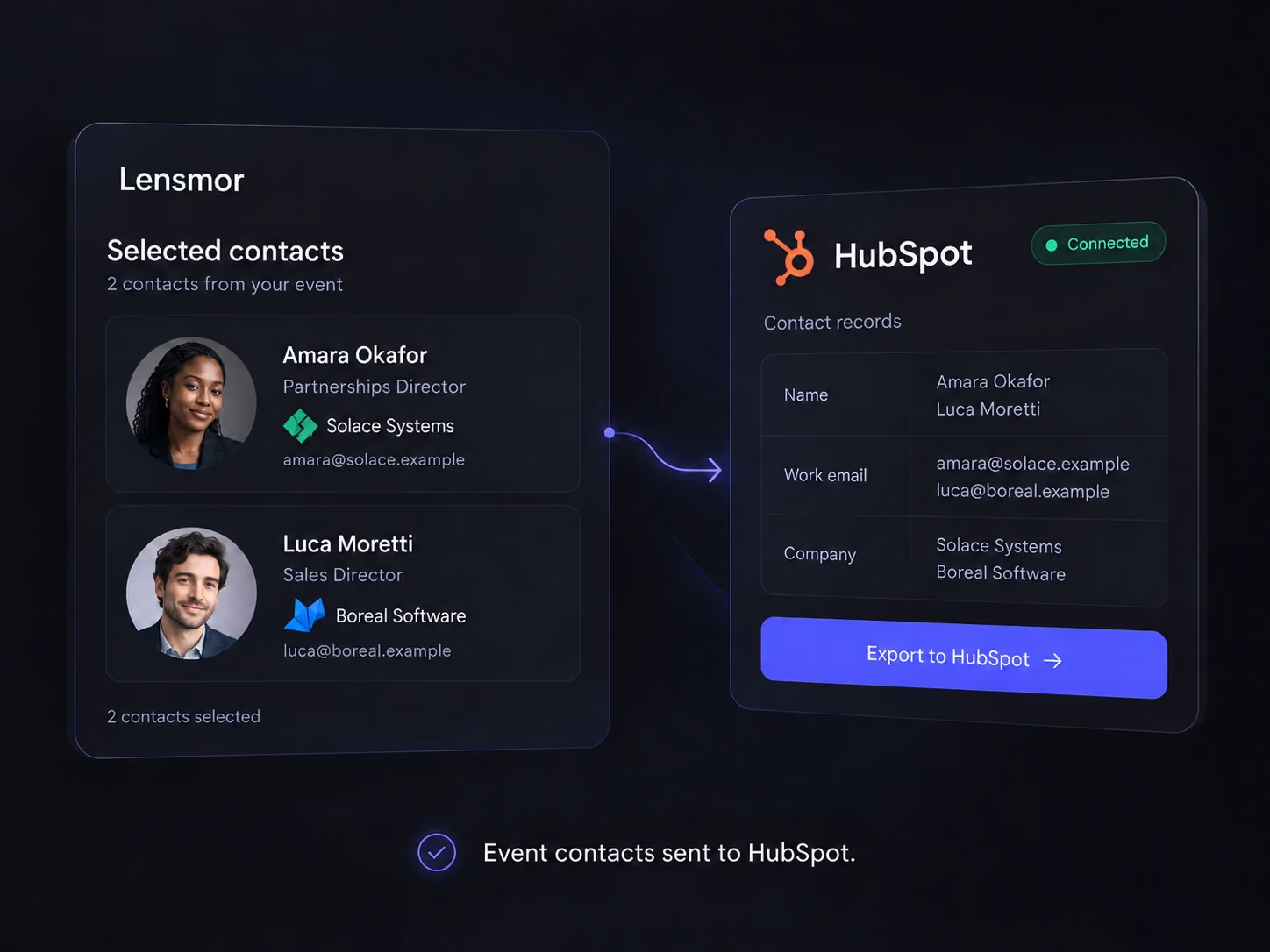
Connect HubSpot to export leads from Lensmor into your CRM. HubSpot is our currently supported native CRM integration.

Conceptual export of selected event contacts and their company details to HubSpot.
02 / EXPORT & OUTREACH

Keep research moving
into your everyday tools.

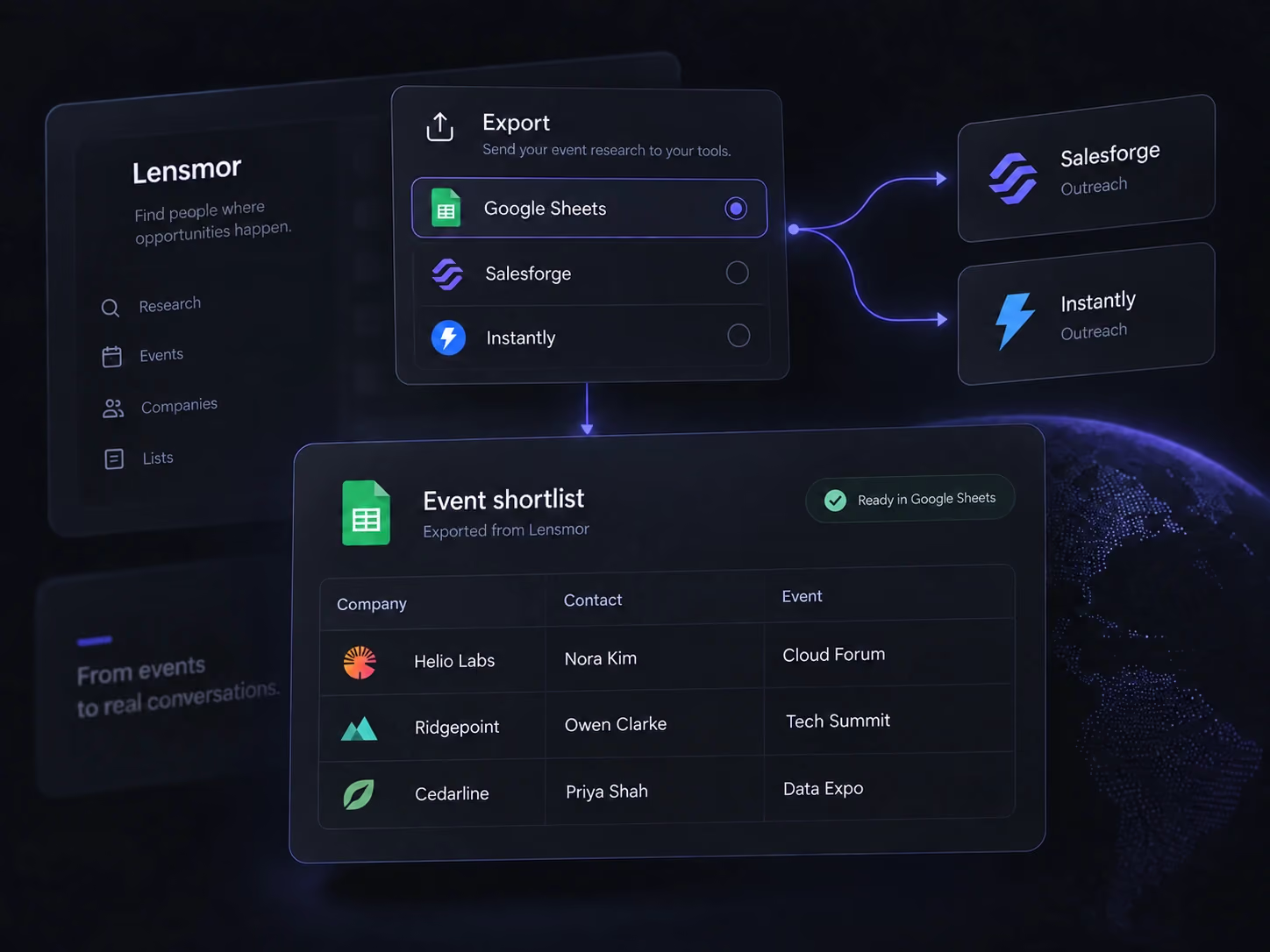
Export exhibitors and contacts to Google Sheets for collaboration, or send leads to Salesforge and Instantly for your outreach workflow.

Export destinations for Google Sheets, Salesforge and Instantly with an illustrative event research table.
03 / CUSTOM WORKFLOWS

Connect more tools.
Build your own workflow.

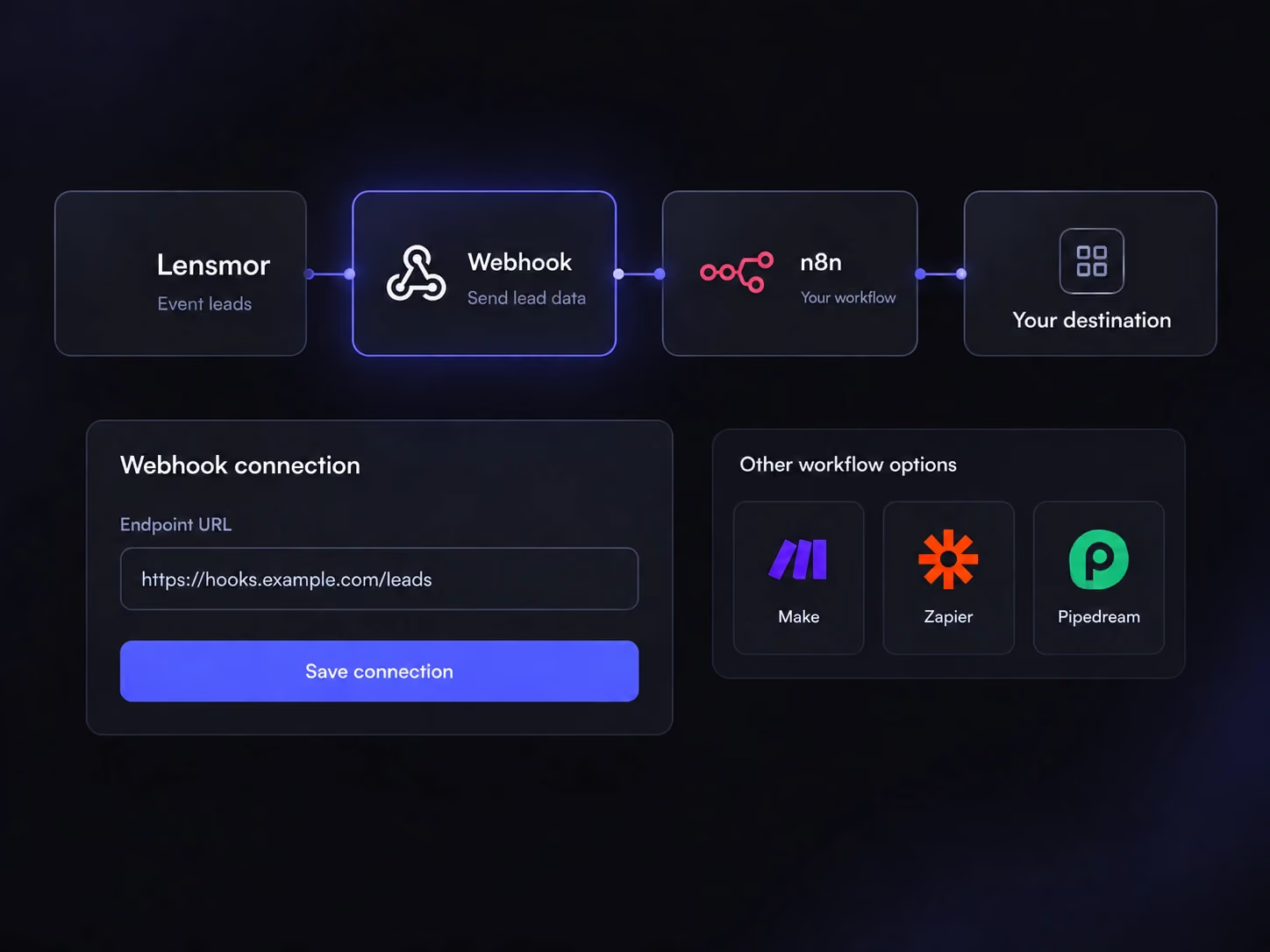
Use n8n, Make, Zapier or Pipedream to route lead data into your chosen tools. Webhook supports custom HTTP endpoints. Connecting another CRM requires a workflow you configure.

User configured route from Lensmor through Webhook and n8n to a chosen destination, with Make, Zapier and Pipedream as other workflow options.
  • HubSpot integrationUse the native HubSpot connection to bring Lensmor into your CRM workflow.
  • Webhook workflowsUse webhooks as a connection path for workflows beyond the native integration.

  • More tools through n8nConnect the webhook path to automation tools such as n8n and build the handoff your team needs.
LESS NOISE. MORE DIRECTION.

A world of events.
A clearer next move.

Same audience.
New opportunities.

Start with your customer.
Find your direction.

Every connection
adds context.

You found the person.
Find a way to connect.

Good research
should go somewhere.

Discover the show. Understand the companies. Find the people who make it relevant.

Your best research starts with a clear definition. Take it with you to the next event.

Connect the events you explore to the companies and people you want to reach.

A company or person can be the starting point for your next event discovery.

Bring contact research into the same place you discovered the opportunity.

Connect the context you discover to the tools where your team takes action.

16k+Global events
One viewEvents, companies & people
Your focusStructured discovery
Save onceYour audience criteria
ReuseAcross different events
Stay focusedConsistent filters
Your ICPOne customer profile
3 pathsEvents, companies & people
Clear focusRelevant research
CompanyStart with an account
PersonStart with an individual
Event contextFollow recorded connections
20+Contact data providers
One clickStart the waterfall
In contextReview available details
HubSpotNative integration
WebhooksCustom workflows
n8nConnect more tools
HOW IT WORKS

Choose the connection that fits your workflow.

Explore the guide
Describe your ideal customer
Industry
Manufacturing
Market
North America
Roles
Operations leaders
Discover relevant events, companies and people
Illustrative workflow
Enrich a selected contact
Person
Jordan Lee
Company
Northstar Robotics
Looking for
Work email · Phone
Run the multi-provider waterfall
Illustrative workflow
  1. Define the handoffDecide what your team needs to move from event research into the next tool.
  2. Choose your routeUse HubSpot or a webhook-based workflow.
  3. Configure the connectionSet up the supported connection and the receiving workflow.
  4. Check the resultTest the handoff and review the information in the destination tool.
EVENT INTELLIGENCE / IN FOCUS
Example attendee list with three distinct portraits, company logos, roles, exhibitor sources and attendance evidence filters.
Saved Target Groups organized under exhibitors and attendees, with controls to edit their names and filters.
A shortlist shaped by your ICPThree ways to explore the same profile
Relevant eventsFind where your market gathers
Relevant companiesResearch accounts in your target market
Relevant participantsIdentify people in the right roles
Product concept · Illustrative data
Company profile with chronological linked events, a highlighted current event, and an event detail card.
A more complete contactSee what is available and what is missing
Jordan LeeVP of Operations · Northstar Robotics
jordan@northstar.exampleWork email · Available
Phone numberNot found · Coverage varies
Product concept · Illustrative data
SUPPORTED CONNECTIONS

Choose where
your research goes.

CRM
HubSpot

Export & outreach
Google Sheets · Salesforge · Instantly

Custom workflows
n8n · Make · Zapier · Pipedream · Webhook

THE NEXT MOVE IS YOURS

Keep event research connected to follow-up.

Bring Lensmor into an existing sales process, from account research to the next action in your team’s tools.

  • A native connection to HubSpot
  • A webhook path for custom workflows
  • Automation options with tools such as n8n

Prepare the information first.

Start with relevant companies and people in Event Intelligence. Use Contact Enrichment when you need available contact details before the handoff.

The fields and actions available depend on the connection you configure.

GOOD TO KNOW

A little more
clarity.

Visit the Help Center

Which CRM has a native integration?

HubSpot is supported as a native integration.

Can I connect other tools?

Yes. Webhooks and automation tools such as n8n provide a route to additional tools. These routes are distinct from native integrations.

What should I check before using a workflow?

Confirm the supported action, available fields and receiving tool configuration, then test the handoff with a small sample.

Deals booked before doors open.
Start free. No credit card.